Goodbye ChatGPT, Hello Open WebUI!
/ 4 min read
Table of Contents
I’ve been using ChatGPT for about three years. I think it’s quite useful. But, I haven’t been paying for ChatGPT, and I’ve started to worry that if I’m not paying for the product, then I am the product.
Open WebUI is a self-hosted, open-source chat interface that can connect to many LLM backends. It looks and feels like ChatGPT, but you run it yourself. I deployed it with Docker — if you’re comfortable with containers, it’s pretty quick to get up and running.
LLM Backends
Local Models with Ollama
Ideally, I’d host my own models for ultimate privacy — no data leaving my hardware at all. Ollama makes it easy to run open-source models locally, and Open WebUI integrates with it out of the box. I tried Ollama on my desktop, but my GPU isn’t powerful enough to run a capable model at a usable speed. For readers with powerful (expensive) GPUs, this is the Shangri-La of privacy. For now, renting compute via OpenRouter seems like the pragmatic choice for me.
OpenRouter
OpenRouter is a cool company that gives you access to all major models through a single, unified interface. You pay per token with no subscription. Open WebUI connects to OpenRouter via an API key so setup is fairly straightforward.
Privacy: Zero Data Retention
OpenRouter offers zero data retention (ZDR) on supported models, meaning your prompts and responses are not stored or used for training. This is the core reason I moved away from free ChatGPT. Not every model on OpenRouter supports ZDR, but the major ones do — you can filter for it when choosing a model. I’ve also set a global data policy for my account in Settings > Privacy so that my requests only route to provider endpoints with ZDR.
Model Choice
One of the best parts of this setup is being able to switch models whenever I want. Mostly I use a cheap and fast model (DeepSeek V4 Flash), but I can easily switch to a frontier model when I need more horsepower. Adding OpenRouter models in Open WebUI is a little clunky: go to Admin Panel > Settings > Connections > Configure > Add a model ID > Save.
Features
Web Search with SearXNG
Open WebUI can search the web if you point it at a search engine. I connected it to my SearXNG instance. One gotcha: I had to set up Playwright as a sidecar for it to actually work. The default web loader engine wasn’t working for me, but I found Playwright works smoothly. With Playwright, Open WebUI uses a headless browser to fetch the content of search result pages, not just the URLs. This is helpful for giving the LLM access to up-to-date context.
Code Interpreter (Pyodide)
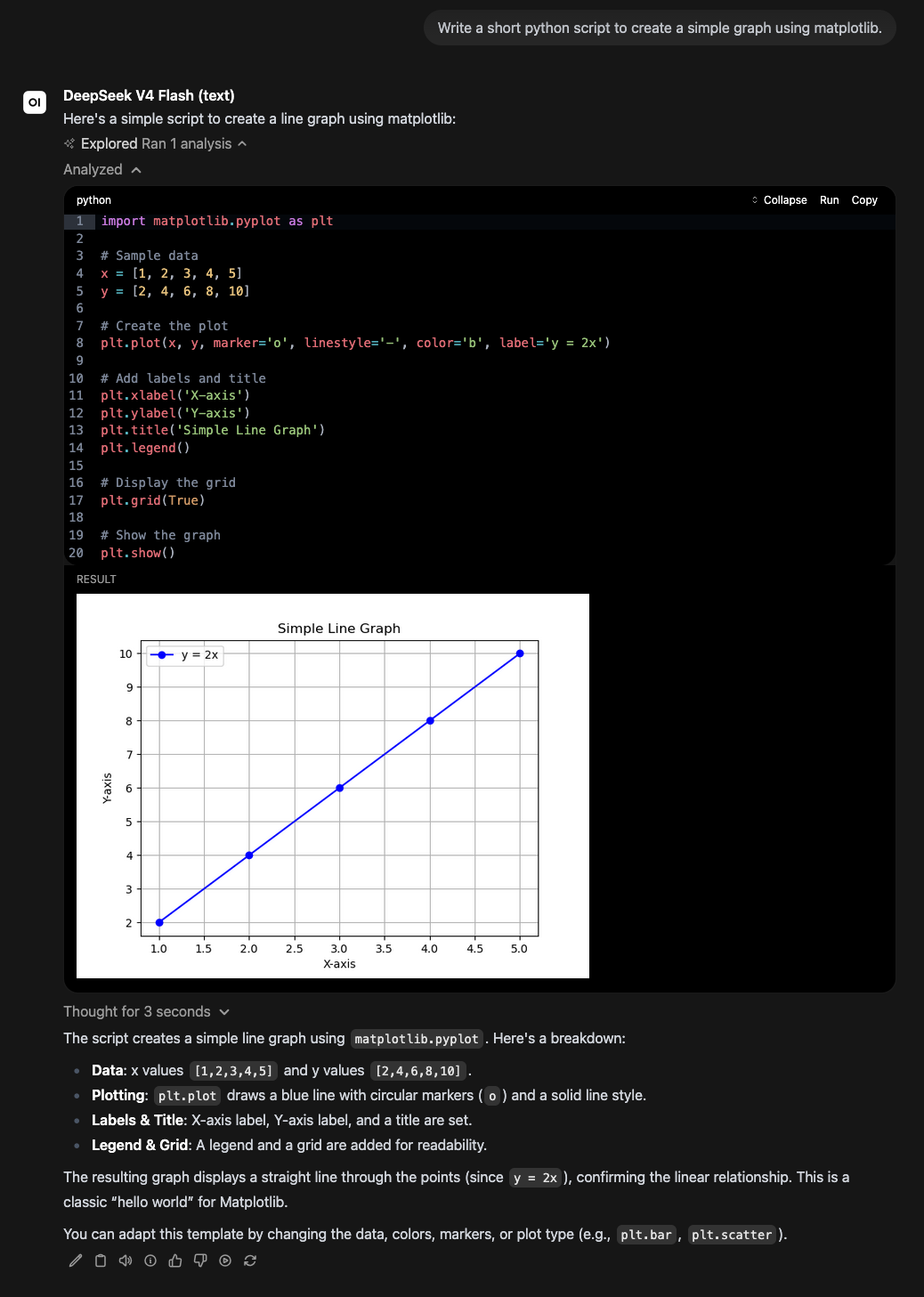
Open WebUI has a built-in code interpreter powered by Pyodide, which runs Python directly in the browser. It’s useful for simple scripts that the model can write and run as tools within a conversation. Pyodide comes with a solid collection of built-in packages. Impressively, it comes with pandas and matplotlib so you can have the LLM create graphs for you in the browser!
Document Chat (RAG)
You can upload PDFs and other documents and have a conversation about them. This can be useful for reading papers, contracts, or manuals — upload the document and ask questions rather than reading through the whole thing manually. Knowledge bases are created in Workspace > Knowledge > New Knowledge, and knowledge bases can be attached to conversations as additional context. I haven’t been using this feature much.
Self-Hosting
I’ve found self-hosting Open WebUI pretty easy. For interested readers, here’s my Docker Compose file:
services: playwright: image: mcr.microsoft.com/playwright:v1.58.0-noble restart: unless-stopped
openwebui: image: ghcr.io/open-webui/open-webui:main-slim depends_on: - playwright environment: - ENABLE_PROMPT_SUGGESTIONS=false - WEB_LOADER_ENGINE=playwright - PLAYWRIGHT_WS_URL=ws://playwright:3000 ports: - "3000:8080" restart: unless-stopped volumes: - open-webui:/app/backend/data
volumes: open-webui:Conclusion
If you’re using free ChatGPT and have some comfort with Docker, you might enjoy Open WebUI. You get more control over your data, access to a wider range of models, and a genuinely capable self-hosted setup. The combination of OpenRouter’s zero data retention policy and self-hosting the frontend means your conversations stay private in a way that free ChatGPT doesn’t offer.